Coming soon / Dismo Industries · Made in Michigan

Click it.
Code it.
Carry it.

A pocket-sized, machined-aluminum gadget with clicky buttons, a tiny screen, and sensors. Fun out of the box - open source and programmable when you want to go deeper.
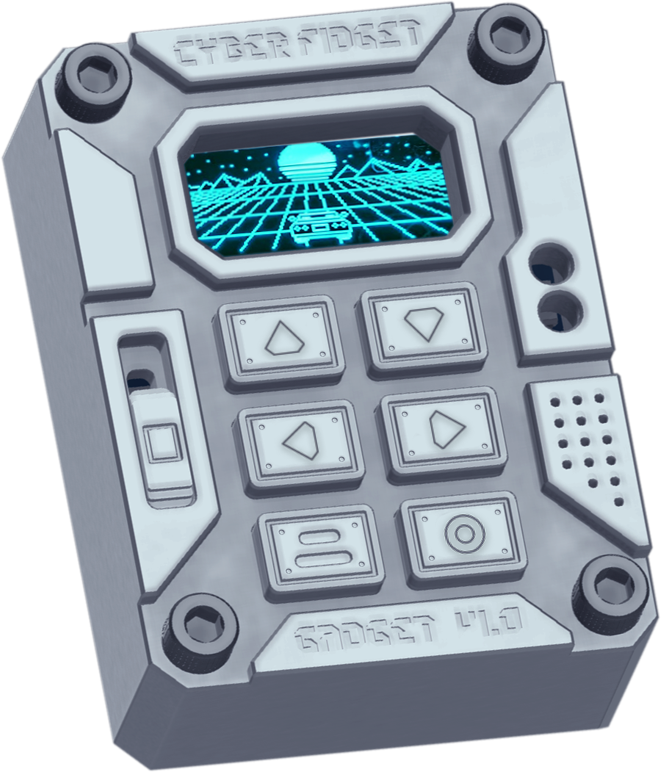
Cyber Fidget device render with a retro sunset on its screen
// 01 The Story Why we built it
"I wanted a crazy looking gadget that would be easy and fun like a Game Boy and feel like a Swiss watch, but I was tired of half-baked, disposable tech. "

The Cyber Fidget started as a literal napkin sketch: a fun, retro, cyber, fidget, gadget thing. It needed a screen with clicky buttons. It needed to look like a piece of 80s alien tech, something different from everything else. It had to play screensavers and simple games - and able to be opened, repaired, programmed, and keepable forever.

So we built it to be the last gadget you'll ever need, and the first developer kit you actually want to carry.
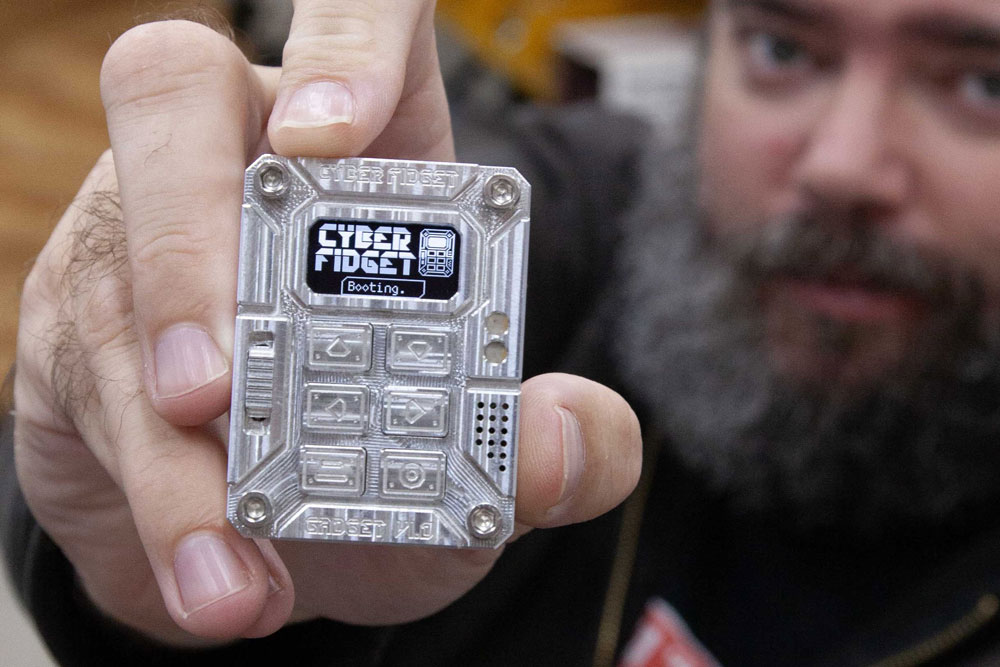
The maker holding a machined-aluminum Cyber Fidget
// machined, assembled, and tested in Michigan
// 02 Why it exists A device to play with and learn from
Why
We wanted an electronic fidget toy that didn't exist, so we made one. And since the screen needs software to work, we also made it an approachable development board anyone can use out of the box.
Made in Michigan
The circuit board, buttons, and case were designed over dozens of iterations to be assembled by you and perfectly fit. Everything is designed and made in-house, minus printing and soldering the circuit board itself.
Premium feel
Cyber Fidget feels good in the hands and is always the first thing people notice after they pick one up. Dozens of button samples were prototyped, tested, and measured for the right click feel and sound. And it has a slider.
Easy to use
Don't be intimidated - you do not need to know how it works to enjoy. It arrives pre-loaded with software and it's up to you to explore, create, and learn at your own pace. Or just download stuff from The Archives.
Open and hackable
It's Open Source. The firmware and more are openly pubished. Design your own backplates. You can modify the software. You can openly contribute to the project and share apps.
Made for tinkerers
You put it together. It was designed to be easy to assemble and comes with all the tools. Re-color, polish, paint the engravings, or 3D print parts if you want to.
Teaching tool
Electronics and software shouldn't be intimidating. Cyber Fidget is a fun way to to make pixel art, invent a game mechanic, or learn about sensors and buttons. We're also building curriculum for schools and makerspaces.
// 03 What's Inside Specs that earned their place
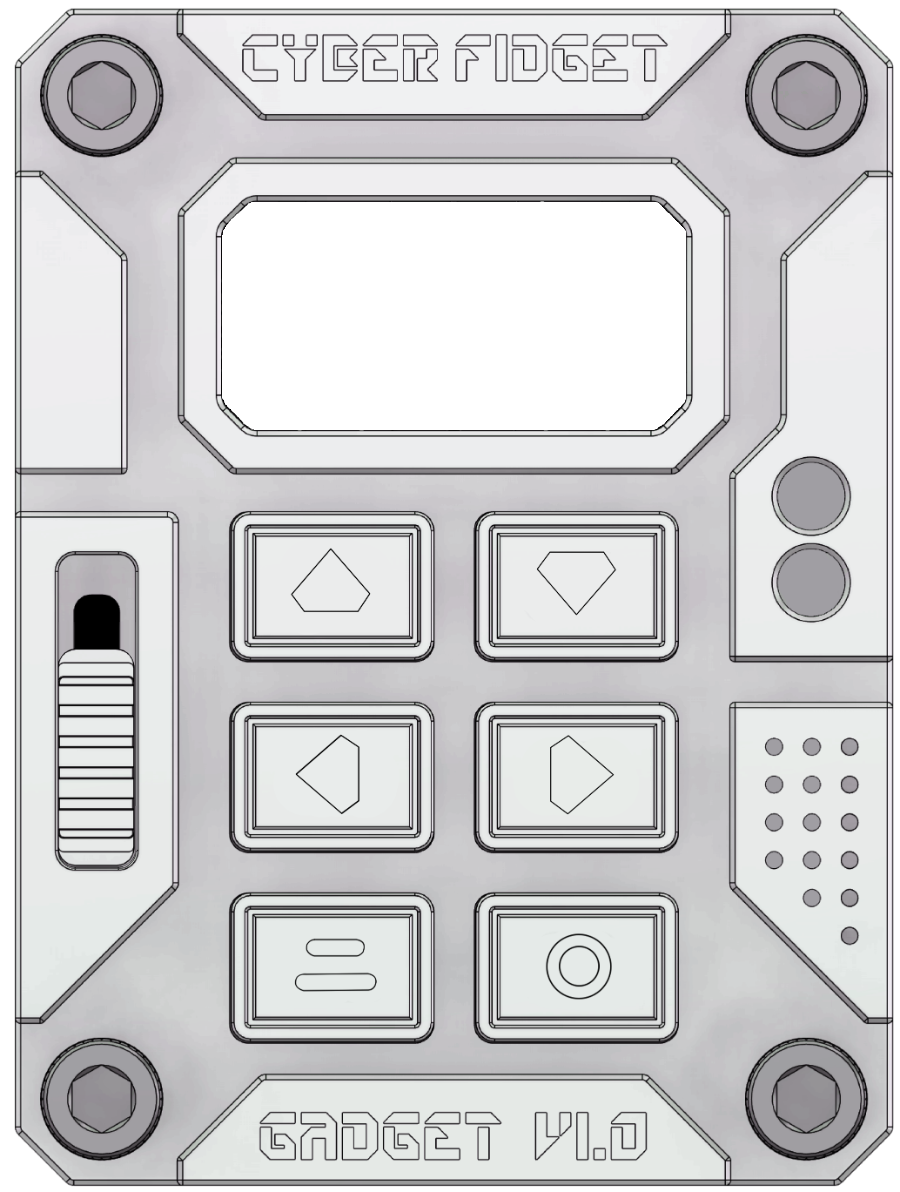
Cyber Fidget face-on: screen, slider, six buttons, speaker grille
Display
Crisp pixels · 128 x 64
Slider
Smooth analog control
6 buttons
Clicky switches
Status lights
4 full-color LEDs
Speaker + mic
Plays and listens
USB-C
Charge + connect
// What's inside
MICROCONTROLLERESP32 / Arduino and MicroPython / Wi-Fi + Bluetooth built in
DISPLAYCrisp OLED pixel display · 128 x 64
CONTROLS6 clicky buttons + a slider
LIGHTS4 bright RGB+White LEDs
SOUNDSpeaker + microphone
MOTIONSenses tilt, shake, and taps
STORAGEMicroSD card slot for extra memory
POWERReplaceable LiPo battery · USB-C
CASEAs-Machined, anodized, or printed
SOURCEOpen source on GitHub
// specs may evolve as production refines -- Full specifications here
// 0.96 inches · 128 x 64 pixels

Your screensaver lives here

The Cyber Fidget ships with a library of screensavers, games, and tools. Draw your own in the Pixel Sandbox, then change how the screen glows with swappable physical color filters on the device.

WHITE
TEAL
BLUE
RED
AMBER
SUNSET.SCR
// 04 Finishes Raw and Anodized colorways

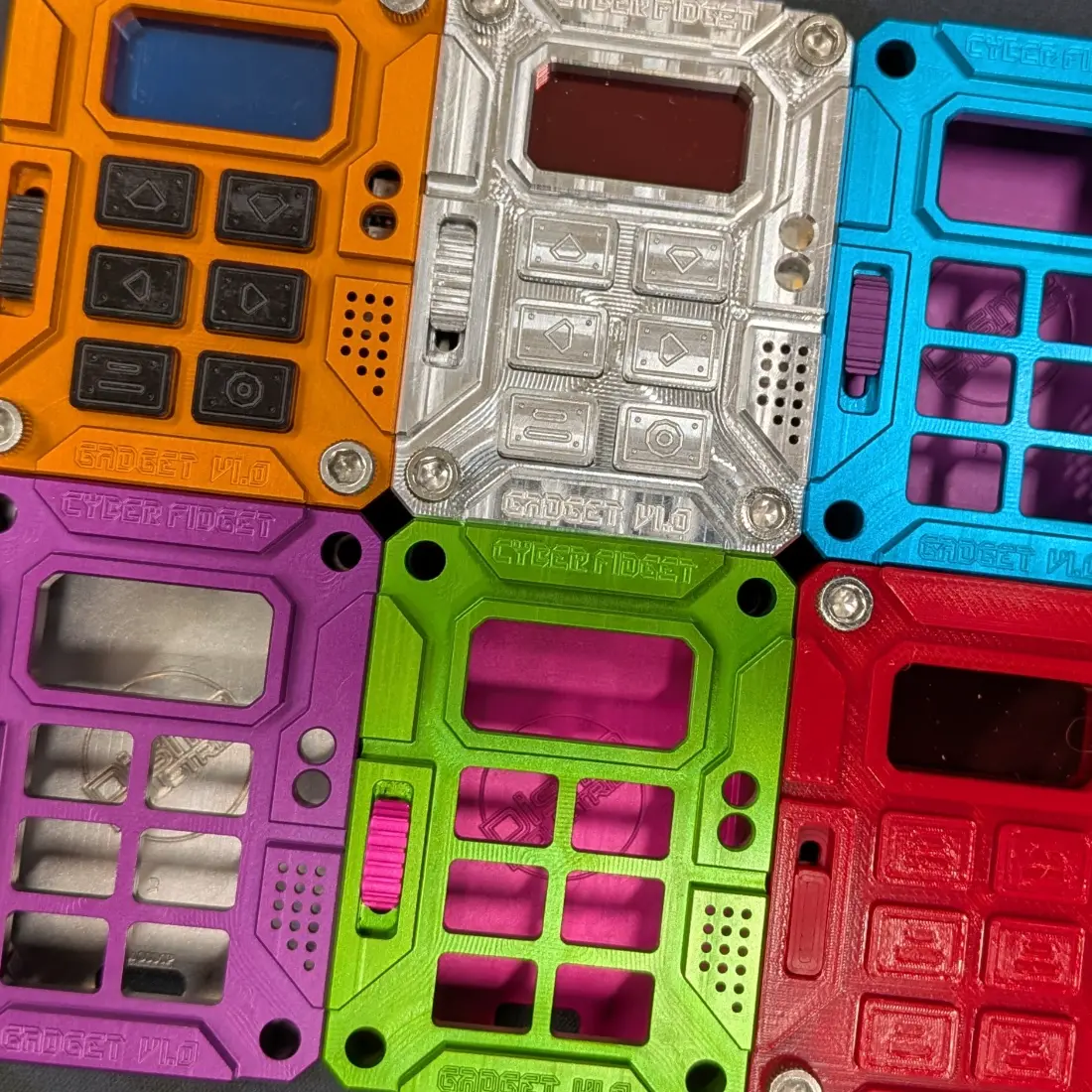
Each metal Cyber Fidget has a machined case, buttons, and slider with intentionally styled toolpaths. The original finish is raw aluminum, with anodized colorways offered in limited quantities - pick a finish, screw it together, and carry it. Or 3D print it in whatever you want.
Raw
Sunset
Hyper Violet
Cool Cyan
Amber
Toxic
Magenta
Initial colors - small batches
Pricing announced at the launch
Pick a colorway at checkout · Be first to know
Six Cyber Fidget cases in anodized colorways around the raw aluminum original
// 05 See It In Action Games · screensavers · tools
Overview TOUR
Filmed on real hardware
Particle Physics SCREENSAVER
Filmed on real hardware
Brick Break GAME
Filmed on real hardware
// 06 Open & Hackable Ways to get apps
01
The Archives
Download or remix apps and screensavers from the community.
02
Pixel Sandbox
Draw a screensaver frame by frame. No code. Send it to your device.
03
App Builder
Describe an idea in plain words and it writes the code with you. Watch it run in the emulator, then tweak anything.
04
Code Editor + C++
A full code editor in your browser with the emulator one tab away. No lock-in - program it your way in VS Code, too.
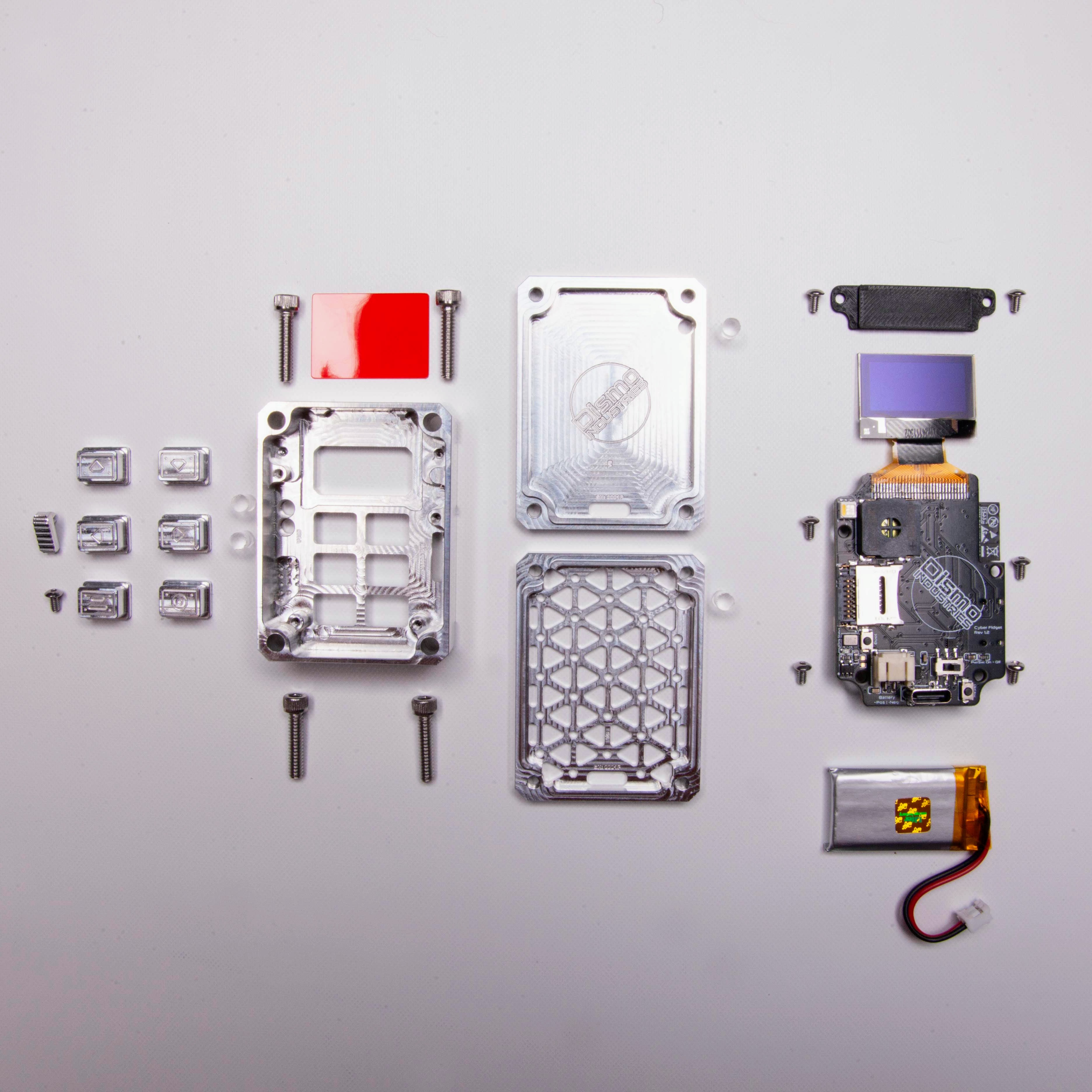
// 07 In The Box Self-assembly · no soldering
The Cyber Fidget kit laid out: machined case parts, buttons, board, and battery

Open it. Build it. Open it again.

Open firmware, modular apps, and kit-quality assembly - no soldering required, just screw it together. You own your hardware: repair it, code it, and keep it forever.

1x Case front
1x Backplate
6x Buttons
1x Slider
1x Mainboard
1x Battery
1x Screen retainer
11x Screws
5x Color Filters
3x LED lenses
-- Tools
// 08 What it isn't Not a Flipper. Not a watch. Not a phone.

We're not competing on features. The Cyber Fidget is fun first - games, animated screensavers, music over Bluetooth, whatever you can imagine. It's the developer kit you actually want to carry.

PLAY
Gadget first
Clicky buttons, a smooth slider, real weight in your hand. Daily carry it and dock it on your desk.
MAKE
Dev kit second
Drop into C++ with ready-to-go templates - or describe an app and build it with the App Builder.
KEEP
Forever third
Open hardware. Repair it. Code it. Hack it apart. It's yours, do what you want, even without us.
// 09 FAQ The basics
?
Do I have to know how to code?
No. Out of the box it ships with games, screensavers, and tools. The Pixel Sandbox lets you draw your own screensavers with no code, and the App Builder writes code with you from a plain-words description.
?
Do I have to solder?
No. The board ships assembled. You screw the case together around it - about 15 minutes with the included tools.
?
Can I program it the "real" way?
Yes. Under the shell it is compatible with popular maker board tools. Program it in C++ from the tools you already use, or right here in your browser. Our editor is a convenience, not a lock-in. MicroPython compatible, too.
?
Can I open it up later?
That is the whole point. Cases are screwed, not glued. The firmware and documentation are open on GitHub. The battery is swappable.
?
How long does the battery last?
Several hours of continuous use, depending on the apps you use. Standby time is in months. It charges over USB-C and uses a common, easily replacable battery.
?
How do I buy one?
We're launching online soon and currently have limited availability locally. Sign up for the newsletter to know when general orders open or contact us if you want to discuss something special.
// No spam · about one email a month

Be there for the launch

Updates from the workshop: build progress, new screensavers, launch news, and the occasional photo of shop shenanigans.